

Note: This article was first published in 2019 and updated in July 2025 for current product naming. "Data Management" is now "Data Integration," and the EPM Cloud business processes are delivered under Oracle Fusion Cloud EPM.
EPM Automate
EPM Automate is a command-line utility that lets your team run tasks in Oracle EPM Cloud without doing them by hand, across business processes such as Planning, Financial Consolidation and Close (FCCS), Account Reconciliation (ARCS), Profitability and Cost Management (PCMCS), and Tax Reporting.
Combined with a set of parameter-selection scripts and a scheduler, EPM Automate turns jobs that are tedious, time-consuming, and prone to human error into a reliable, hands-off workflow. That means lower cost, more frequent data refreshes, and more of your team's time freed for higher-value work.
Key Benefits
Save time. Work that might take a person most of a day, such as a full data load, can run in minutes, and at a higher frequency, with no added effort.
Improve accuracy and decision-making. Refreshing your data more often, even twice a day, means reporting reflects reality and decisions are made on current numbers. You choose the frequency.
Peace of mind. Data loads, metadata updates, and business rules run on schedule, and daily status reports tell you they did.
The Competitive Edge
Most companies load the previous month's actuals over the first week of the new month. That routine usually spans multiple cubes, multiple files, and a variety of business rules, all in preparation for reporting, and it can consume a full day, or several when errors creep in. With automation, those processes run in the background and can run more frequently, so your organization keeps the most up-to-date picture and adapts faster to internal and external change.
Keeping Data Current
You can automate the environment to update itself with the latest files, newest metadata, and most recent actuals. Files can be selected by qualifiers such as when a file was last modified or whether a newer version is available. Refreshing an entire company's data through Data Integration by hand takes enough time and labor that many organizations settle for updating it infrequently, and living with stale numbers. Automated, that same refresh can run daily, hourly, or as often as you need.
Intelligent, Dynamic Automation
The heart of a good automation framework is that it selects the right parameters on its own, rather than waiting for a person to type them in. We design our automation to derive the details of each file it processes, such as the category (Actual, Budget, Average) and the period, from the file itself, so that data loads and business rules run without additional human interaction. To be clear about what this is: it is deterministic, rules-driven automation, not machine learning, and that is exactly why it is dependable and repeatable.
We build these systems for reliability, drawing on quality-engineering principles: by reducing variation and removing bottlenecks in the process, we minimize the need for maintenance or manual intervention.
The Manual Bottleneck
Imagine loading an actuals file named Actuals12-02-19.txt for the November period through Data Integration.
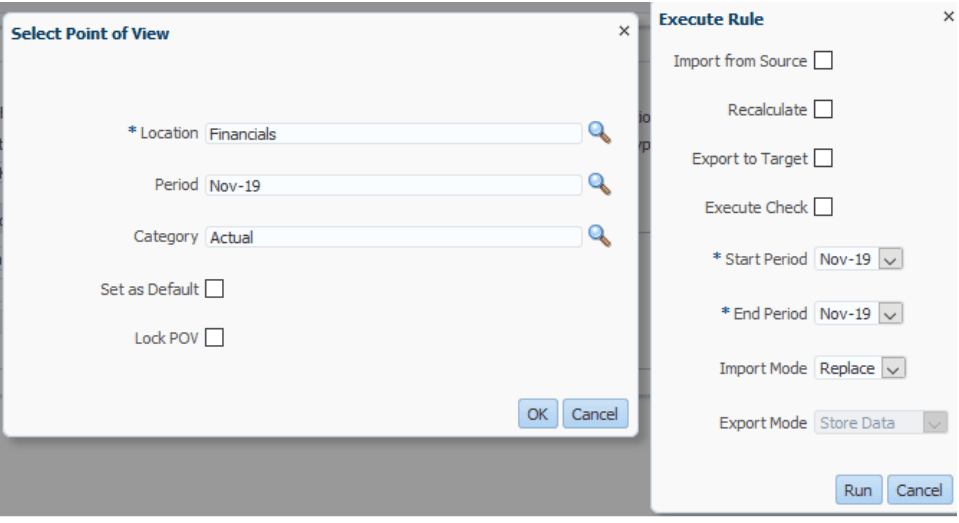 Execute Rule dialog: point of view, plus import, export, and recalculate options
The application needs a category (Actual), a period (Nov), a location, a file name, start and end periods, a load mode, and more. Because periods, years, and file names change every cycle, this is where a bottleneck forms, both in the data load and when running business rules. An administrator has to decide, each time, which period to start on, which fiscal year, which scenario, which version, and which business rule to run. Every one of those manual choices is a chance for error.
Dynamic Parameter Selection
A well-designed automation removes those manual choices by deriving the correct values itself.
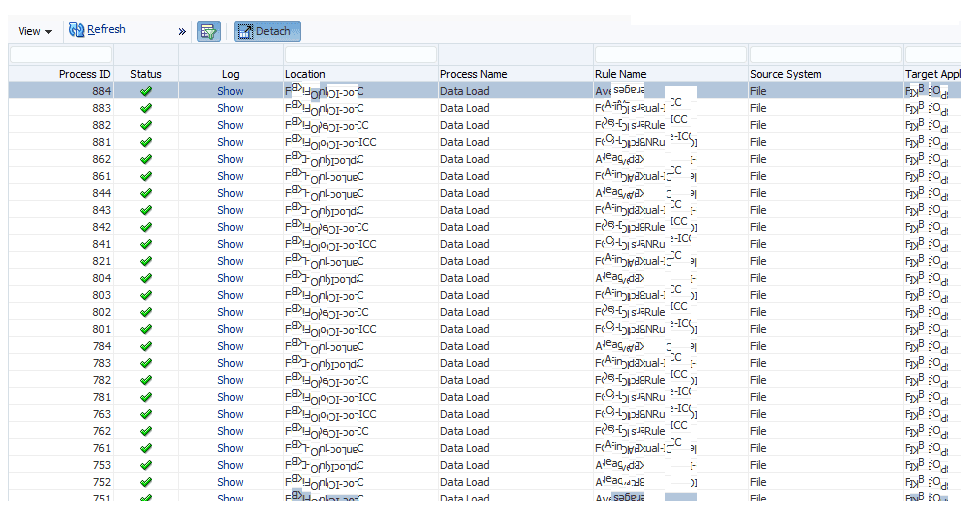 Process Details log: each row a completed, automatically parameterized load
The automation fills in the information each data load and business rule needs, which is what lets it run continuously without babysitting. The same setup can be reused for a January 2020 averages file, or a budget file created five years from now: you set the schedule and duration, and it runs in the background. That is the power of a dynamic system.
Notifications and Reporting
Stay on top of your EPM Cloud processes with reports, notifications, and logs. You can review the progress and history of every process, and schedule periodic backups.
Email Notifications
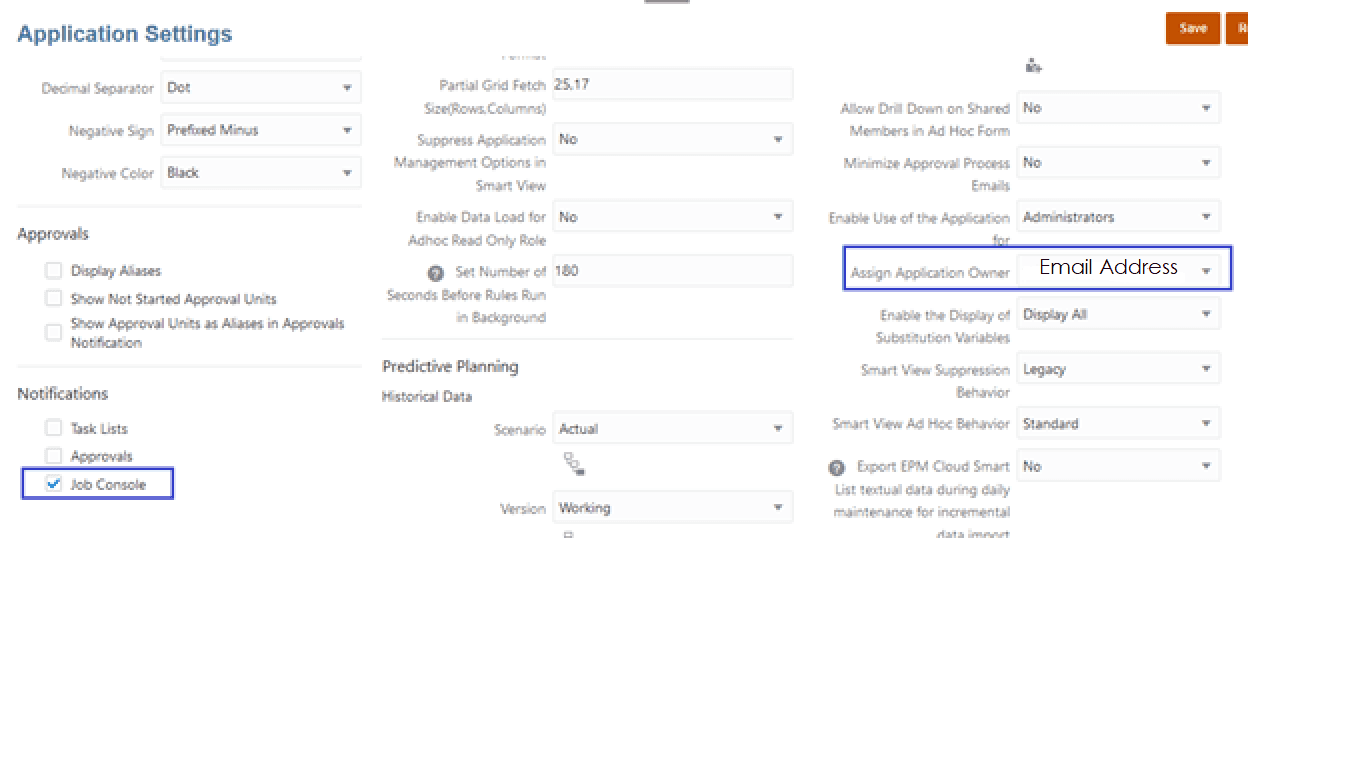
There is no need to watch processes while they run. You can receive email notifications confirming that everything completed, or choose to be alerted only when an error occurs, so issues can be addressed immediately.
Audit Trails
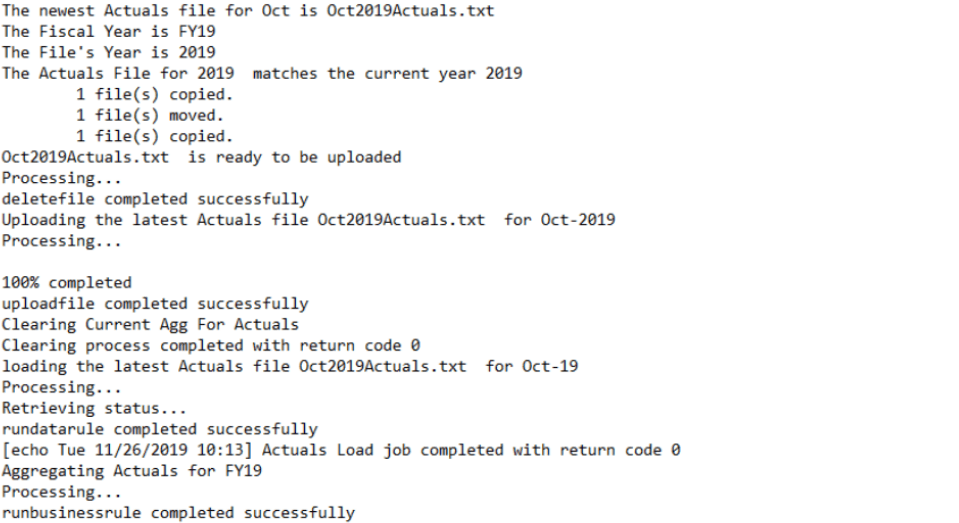
Keep a human-readable history of each data load, metadata update, and business rule in plain language. You can audit a specific cube, category, or period; see which files were used, which rules ran, and the outcome of each; and time-stamp every task to compare the speed of automation against manual effort.