

This is a step-by-step tutorial on how to set up the node types, hierarchy sets, node sets, viewpoints, converters, and subscriptions needed to build a dimension that contains an alternate hierarchy in Oracle Enterprise Data Management (formerly Enterprise Data Management Cloud Service, or EDMCS).
In this example, we add an alternate hierarchy to the Entity dimension of a Financial Consolidation and Close (FCCS) application.
What is an alternate hierarchy, and why use one?
A dimension's primary hierarchy defines each member's main parent and where its data is stored. An alternate hierarchy lets you roll those same members up a second way (under different top nodes or different parents) while preserving the primary parent-child relationships. In Oracle's words, alternate viewpoints "let you group lower-level nodes under top nodes other than the top nodes in the bound viewpoint."
Teams use alternate hierarchies to group the same entities by geography, function, legal entity, or, as here, tax reporting, and to model or analyze the impact of rolling data up a different way without disturbing the primary structure.
The mechanism that makes this possible is the shared node. Instead of duplicating a member, the alternate hierarchy reuses the existing base member as a shared instance: the primary instance keeps its Data Storage property set to Store, and each additional placement is set to Shared. That single entity can then roll up to more than one parent without its data being counted twice.
Prerequisite: We have registered an FCCS application and loaded data for the Entity dimension. The primary Entity hierarchy rolls up to FCCS_Total Geography. We will create an alternate hierarchy, the Tax hierarchy, topped by a node named Entity_Tax, for that same Entity dimension.
For other EDMCS tutorials, check out "Importing Oracle Financials Cloud General Ledger Dimensions in EDMCS" and "Setting Up a FCCS Application in EDMCS".
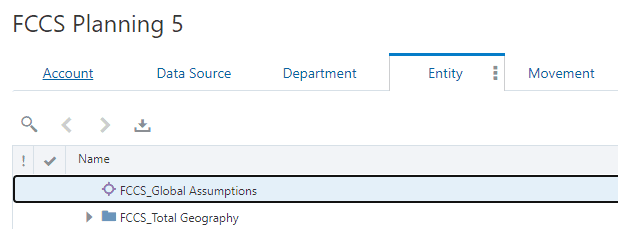
How the pieces fit together
Every viewpoint in EDM is built from a chain of objects: a node type (the members and their properties) feeds a hierarchy set (the parent-child relationships), which feeds a node set (the nodes in scope), which is bound to a viewpoint (what you see and edit). To keep two hierarchies of different node types in sync, you add node type converters; to propagate a change made in one viewpoint into another automatically, you add a subscription. We use all of these below.
STEP 1: Create the node type
From the FCCS application, inspect the Entity dimension and, on the Node Types data chain object, create a new node type for the alternate hierarchy. Assign it a name; we use EntityTax in this example.
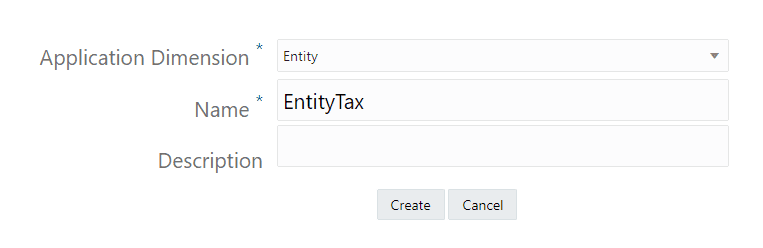
STEP 2: Give it the same properties as Entity
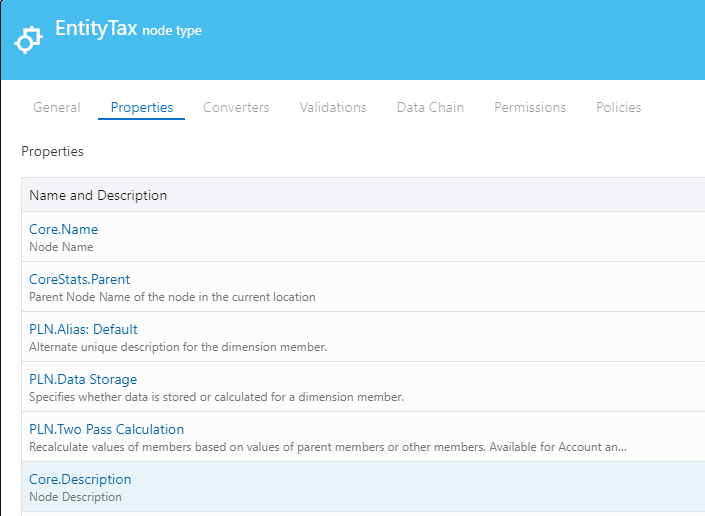
- Add the same property associations that the primary Entity node type uses to the new EntityTax node type, so both node types carry identical properties.
STEP 3: Add a hierarchy set
Create a new hierarchy set and, on the Definition tab, select the EntityTax node type.

STEP 4: Add a node set
Create a new node set and assign it the EntityTax hierarchy set you just created.

Oracle docs: Alternate Hierarchies covers building the node type, hierarchy set, node set, and viewpoint that make up an alternate.
STEP 5 & 6: Build the node type converters (both directions)
Because the alternate hierarchy uses a different node type (EntityTax) than the primary hierarchy (Entity), you need node type converters so the two can be compared, aligned, and synchronized. You will build two converters (one for each direction) because we will subscribe the viewpoints to each other in the next steps.
First, build the converter that turns the Entity node type into the EntityTax node type:
- Inspect the EntityTax node type (the "convert to" type), open the Converters tab, and click Edit, then Add.
- Select the Entity node type as the node type to convert from.
- Leave the property Operation set to Copy for all properties by default.
- The alternate placement must be a shared node, so change the Operation for the Data Storage property to Transform.
- Click the fx (Define Expression) icon, and in the expression editor enter:
return "Shared"
- Click Apply, then Save.
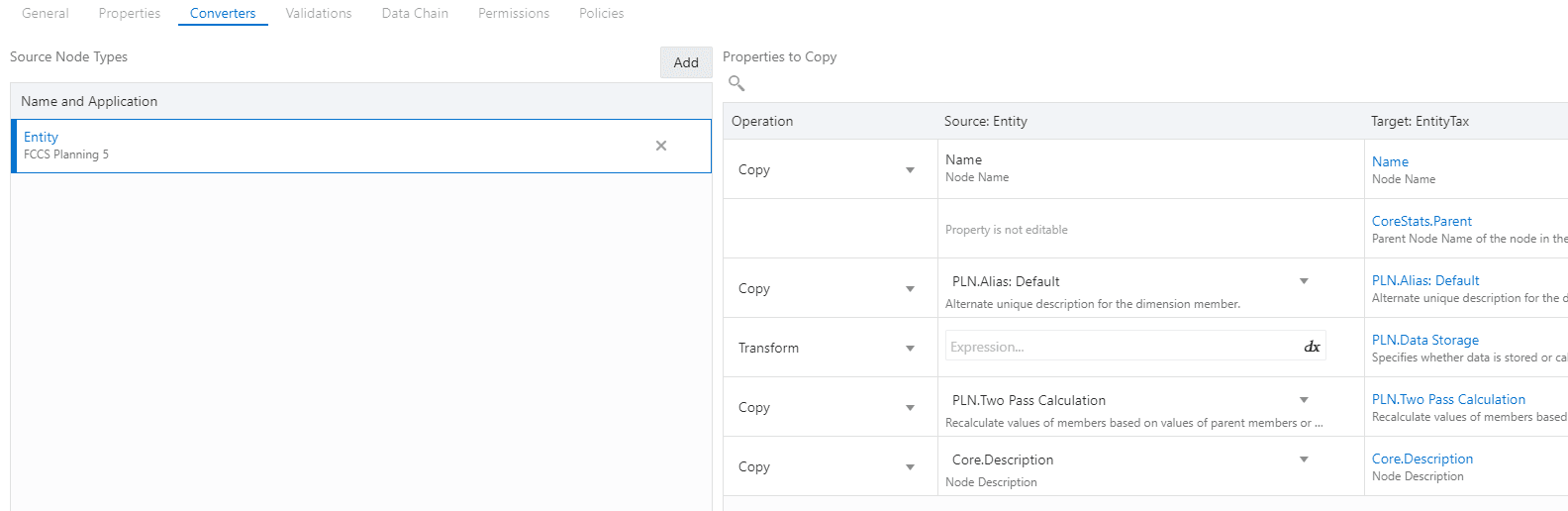
Now repeat the process to build the converter for the other direction, turning the EntityTax node type back into the Entity node type, leaving all property operations as Copy. (The primary instance keeps its Data Storage value of Store, so no transform is needed on this one.)
Tip: The
fxicon opens the expression builder, where theSourceNodeobject exposes the source node's properties. You can use Test Expression → Evaluate against a sample node to confirm an expression returns what you expect before saving. Oracle docs: Adding a Node Type Converter and the hands-on Node Type Converter tutorial.
STEP 7 & 8: Add the alternate viewpoint
Go to Views, open the Actions menu for the FCCS view, and choose Inspect → Definition. Add a new viewpoint, which we name EntityTax, and assign it the EntityTax node set you created in Step 4.
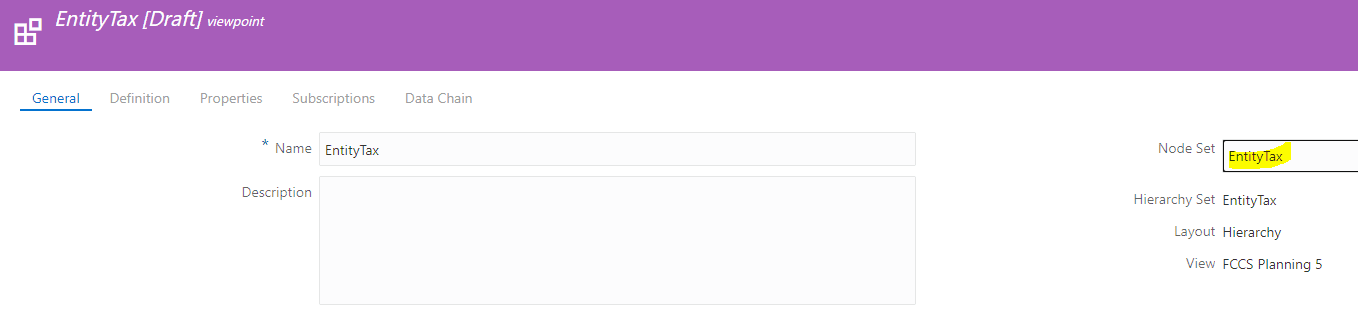
Confirm the new viewpoint appears, then add the top node for the alternate hierarchy, Entity_Tax, under both the primary hierarchy and the alternate hierarchy.
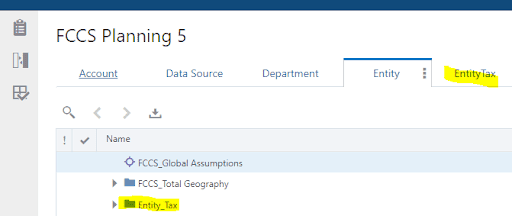
FCCS best practice: Set the consolidation operator of the alternate hierarchy's top node (
Entity_Tax) to Ignore so its rolled-up values are not double-counted in the primary totals. Also add shared members after their stored (primary) counterparts, and keep in mind that each additional shared hierarchy increases application size and consolidation time. Oracle docs: Creating Alternate Entity Hierarchies (FCCS).
STEP 9 & 10: Create the subscriptions
Subscriptions keep the two viewpoints in sync: when a node is added to a source viewpoint, EDM automatically generates a request to make the same change in the target viewpoint that subscribes to it. You always create a subscription from the target viewpoint, pointing back to the source.
- Open the Actions menu for the EntityTax viewpoint and choose Inspect → Subscriptions.
- Create a new subscription with the main Entity viewpoint as the source viewpoint. (Now, changes in the primary hierarchy flow into the alternate one.)
Next, open the Actions menu for the main Entity viewpoint and, the same way, add a subscription with the EntityTax viewpoint as the source. On this subscription's Definition tab, enable Auto Submit. With Auto Submit on, any change posted to the alternate hierarchy is validated and pushed to the primary hierarchy automatically, with no manual approval step.
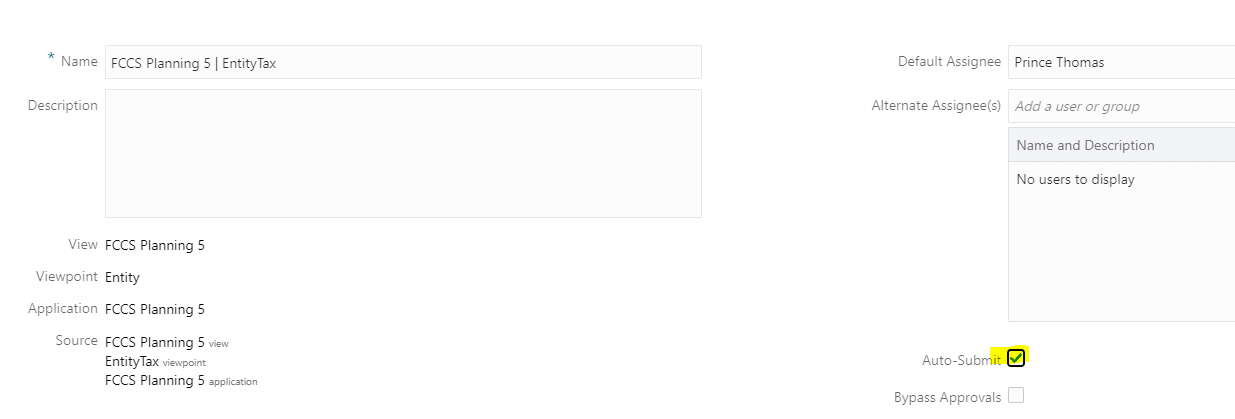
Why both directions? Each subscription needs a converter for the node types it crosses, which is exactly why we built two converters in Steps 5 & 6. If a change can't be converted (no converter exists for that node type), EDM skips that item, so the pair of converters is what lets changes flow cleanly either way. Oracle docs: Subscribing to Viewpoints.
STEP 11: Test it
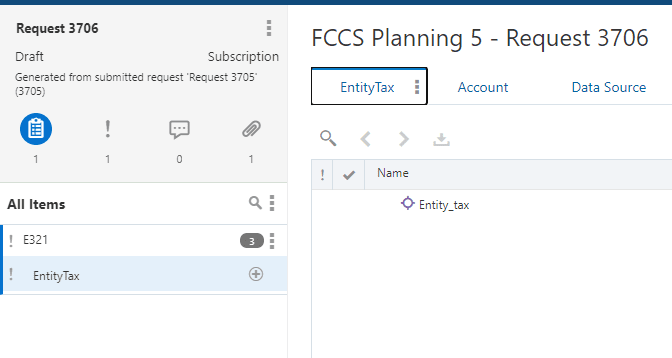
- The setup is complete.
- Add a node to the primary hierarchy.
- The subscription generates a request to add the same node to the EntityTax viewpoint.
- Note that the new placement's Data Storage property has been converted to Shared by the converter expression.
- Drag and drop the new node onto the appropriate parent, and the member appears in the alternate hierarchy while remaining stored in the primary one.
Summary
This method maintains an alternate hierarchy in its own viewpoint, using two subscriptions (one from the primary viewpoint to the alternate viewpoint, and one from the alternate viewpoint back to the primary), each supported by a node type converter. Keeping the alternate hierarchy in a separate viewpoint lets you apply and govern node type property changes independently, while the subscriptions and the Data Storage = Shared transform keep the two hierarchies aligned automatically.
If you don't need a separately governed viewpoint, EDM also supports a simpler approach: add the alternate top node and its shared members directly within the same viewpoint. Choose the separate-viewpoint method described here when you want the alternate hierarchy managed, secured, or exported on its own.
A few things to keep in mind:
- The alternate top node's consolidation operator should be Ignore to avoid double-counting.
- Add each Shared member after its Store (primary) instance.
- Converters must exist for both directions you intend to synchronize.
- Test converter expressions with Evaluate before relying on them.
- More shared hierarchies mean a larger application and longer consolidations; add them deliberately.