

Note: This tutorial was first published in 2020 and updated in May 2025 for current product naming. Enterprise Performance Reporting Cloud Service (EPRCS) is now Oracle Narrative Reporting, part of Oracle Fusion Cloud EPM. Some screenshots show the older interface, but the report-package concepts are unchanged.
This tutorial provides step-by-step instructions for creating a simple custom report package in Oracle Narrative Reporting.
CloudADDIE uses the report package tool in Narrative Reporting to manage the full lifecycle of the reports a business, project, or study produces.
What Can Report Packages Do?
A report package centralizes content from several sources, Reports (Oracle's management reports), plus Word, PowerPoint, Excel, and PDF, into a single, governed deliverable. Each source appears as a doclet within the package, and doclets can be tied together with variables. Variables reference specific content, such as a line of text from a Word doclet or a value from a grid in an Excel doclet, so that the same value stays consistent everywhere it appears.
Creating the Report Package
Step 1
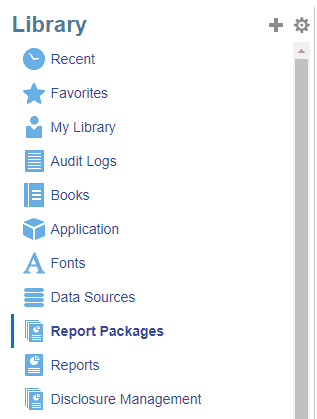
This is the Narrative Reporting Library panel. Report Packages is one of its content types, alongside Reports, Books, Data Sources, and Disclosure Management. Select it to see your existing report packages, or use New Report Package from the Home page to start one from scratch.
Step 2
Give the report package a name, a description, a report type, a style sample, and a location to save it. Word and PowerPoint report packages require a style sample that defines how the package is formatted.
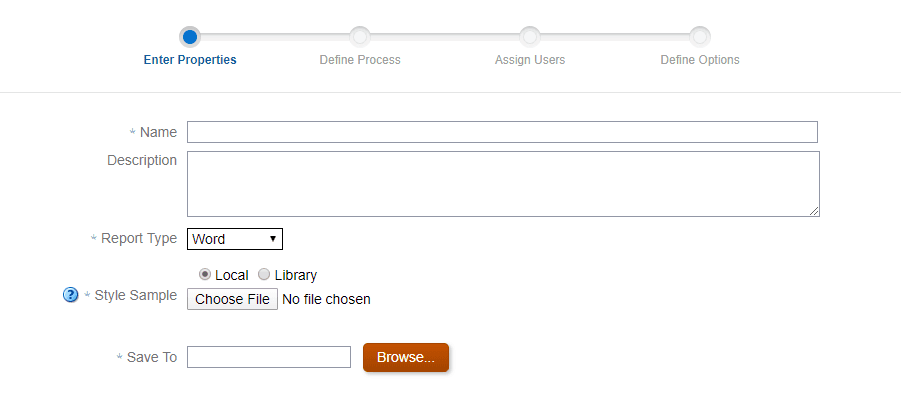
The style sample sets the formatting and ensures a consistent look throughout the package:
- Word report package: the sample defines the size, layout, orientation, and margins from the sample Word document you provide.
- PowerPoint report package: the sample defines the slide masters and layout from the sample presentation you provide.
- PDF report package: this does not require a style sample; instead, you define the headers, footers, and margins.
The rest of the wizard then lets you enable the development phases (Author, Review, and Sign Off), assign the users responsible for each phase, and set formatting and other options. When you finish, the package opens in the Report Center.
Step 3
Once the package is created, you add its content as doclets. Doclets are the subcomponents of a report package, Excel, PDF, Word, or PowerPoint files, and Reports created in Narrative Reporting.
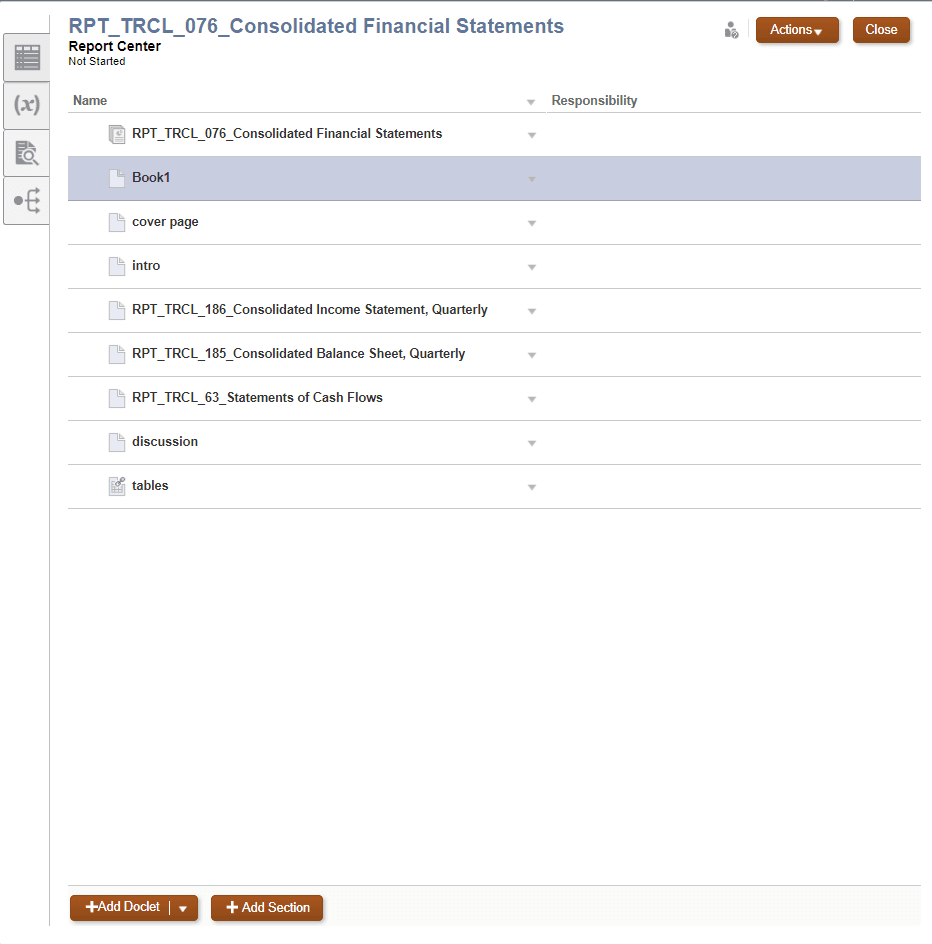
There are three types of doclets:
- Doclet: the primary content (a report, or a Word, PowerPoint, or PDF file, depending on the package type). Its content is merged into the final published report.
- Supplemental doclet: supporting material such as notes and source files. It is not merged into the final report and is used to assist development.
- Reference doclet: a container for reusable content that authors embed into their own doclets. It can be Excel-based, using named ranges, or built from a Report (a management report) registered in Narrative Reporting. The reference doclet itself is not published, but the content embedded from it is.
Doclets are tied together with variables, of which there are two main types:
- Static variable: a value you type in, such as a label, date, or figure, that can be inserted into multiple doclets. Update it once, in the Report Center or through Smart View, and every doclet that references it updates to match.
- Reference variable: a value pulled from a source cell or text in one doclet and reused in others. You define the source in Smart View by selecting the cell or text to reference; when the source value changes, every doclet that uses the reference variable updates with it.
More recent releases also add shared variables, which let several report packages in the same reporting period draw on a common set of values.
Benefits of a Report Package
- An organized, collective report that serves as a single overview of a task or period.
- A collaborative, managed process for pulling many reports together.
- The ability to source content from different formats, Excel, Word, PDF, and Reports, in one place.
- A cleaner presentation of information that can be reviewed in a single report.
- Assigned responsibilities across the report's lifecycle, which improves efficiency and clarifies duties.
- Development phases that manage content and workflow and help ensure accuracy during review.
- Security through content-level access control.
- Variables that keep values consistent across doclets for a smoother, more reliable result.
Oracle Narrative Reporting Support
Need help implementing or maintaining Narrative Reporting? Our consultants at CloudADDIE are well versed in Oracle's narrative reporting software and can help your company implement, troubleshoot, and maintain your Oracle Cloud services. We also offer training.