

The Challenge
Our client runs an expansive base of accounts that spans operations and workforce, point of sale, and accounts receivable and payable. That range is normal for any sizable business, and it brings a matching need to track and reconcile all of it. The client asked us for a reconciliation process that was automated and streamlined from start to finish. Working from that large chart of accounts (CoA) and a detailed list of requirements, we built a solution on Oracle's Account Reconciliation Cloud Service (ARCS) that lets more than 90,000 reconciliation profiles be managed and administered at the touch of a button.
The Solution
The client's chart of accounts already lived in their Enterprise Resource Planning (ERP) system and Fusion GL, and they had already stood up Financial Consolidation and Close Cloud Service (FCCS). We built on that foundation, tying these services together into one automated flow with EPM Automate and supporting scripts. Here is the detail of how we did it.
At its core, the client needed cash flows reconciled and tracked at several levels of operation, which is exactly what ARCS is built for. Each account is reconciled on an account by account basis using a profile set up for that account, entity, or department. Because different account types call for different treatment, we created formats to fit each one, and those formats define the reconciliations that users go on to work in.

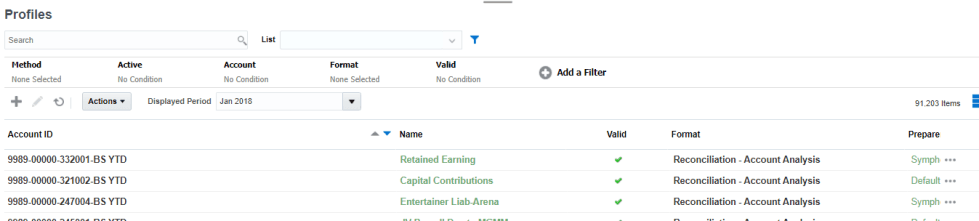
One format compared budget against actual spending so the client could see how closely operations stayed within plan. Another used variance analysis, which measures account activity against a prior period and asks for an explanation of the movement. For other accounts we compared the MTD or YTD balance sheet against the income statement, set up as the source system and subsystem balances. At the point of sale level, we used Transaction Matching to reconcile credit card and sectional charges down to the individual transaction.
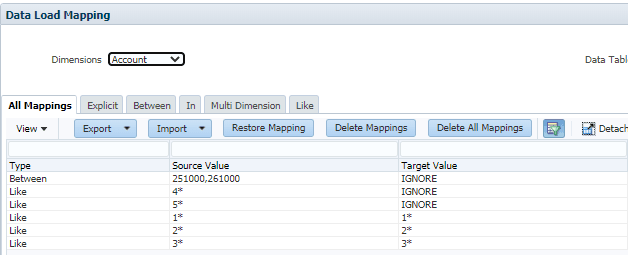
Data flows into the application through a set of integrations we put in place. Data Management comes built into ARCS, and we used it to connect to the client's other platforms, including the ERP and FCCS. From each source it pulls the balances or profile information that the reconciliation process needs.

The Results
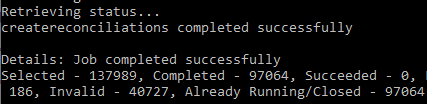
By the end, the process ran like this. A single EPM Automate script kicks off three sets of actions. First, it pulls reports from FCCS and the ERP and imports them into ARCS, where the data lands in the profiles for the period and reconciliations are created. Next, the automation inside ARCS takes over, running scheduled auto reconciliation rules that reconcile the accounts meeting set criteria, such as zero balance or no activity. The script tracks and reports each step, and it stores logs that can be emailed to the user. When the script finishes, profiles and balances are up to date, the accounts that qualified are reconciled and closed out, and everything else is ready for users to reconcile. All of it, once more, at the click of a button.