
As Oracle EPM Cloud environments grow, managing data and running multiple processes can become more complex. Organizations often need to handle data loads, metadata updates, business rules, and other activities across Planning, consolidation, and reporting applications. Oracle EPM Pipelines help simplify this by bringing multiple activities together into one structured and automated process.
Instead of running and monitoring each job separately, Pipelines allow administrators to organize jobs in the required sequence and manage the overall process from one place. This helps reduce manual effort, improve visibility, and make day-to-day EPM processes easier to manage and monitor.
What Is the Oracle EPM Pipeline Feature?
The Oracle EPM Pipeline feature provides a centralized way to manage data integration and processing activities within EPM Cloud. It replaces the traditional batch functionality in Data Management, which is not being carried forward into Data Integration. Existing batch definitions are not converted automatically and need to be rebuilt as Pipelines, so this is worth planning for where several batch definitions are in active use.
With Pipelines, multiple jobs can be brought together and executed as part of a single process. These jobs can include preprocessing activities, data loads, and post-processing tasks, making it easier to manage the complete integration process from one place.
Pipelines can also coordinate supported jobs across multiple Oracle EPM Cloud instances, giving administrators better visibility and control over the overall process.
Pipeline definitions are created and managed by Service Administrators. Non-administrators cannot create or edit a Pipeline, but they can be allowed to run one by enabling Pipeline execution for non-administrators in System Settings. Where Location Security is enabled, non-administrators view Pipelines in read-only mode and can run only the jobs for the locations assigned to their groups. The Proxy User field holds a username with the Service Administrator role, which is the identity the Pipeline runs under.
From the 2026 updates, this field defaults to the logged-in user, and a different username can no longer be entered.
Key Features of Pipelines in Oracle EPM Planning
Oracle EPM Pipelines provide several features that help simplify and automate data integration processes in Planning applications.
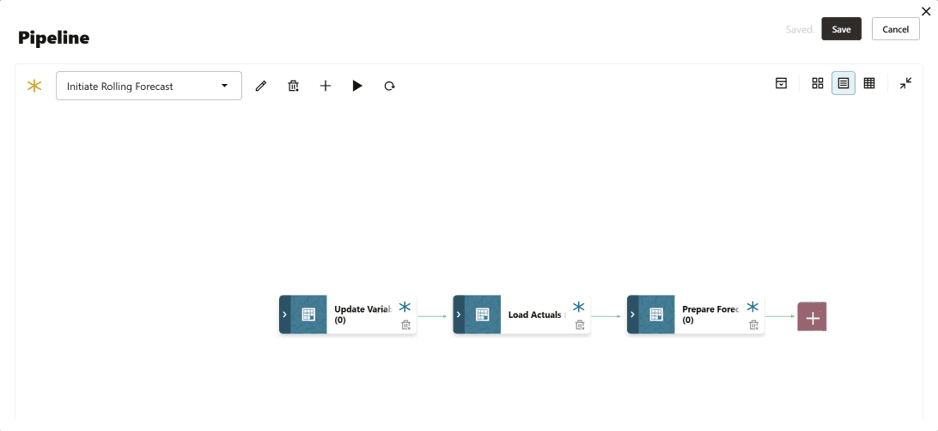
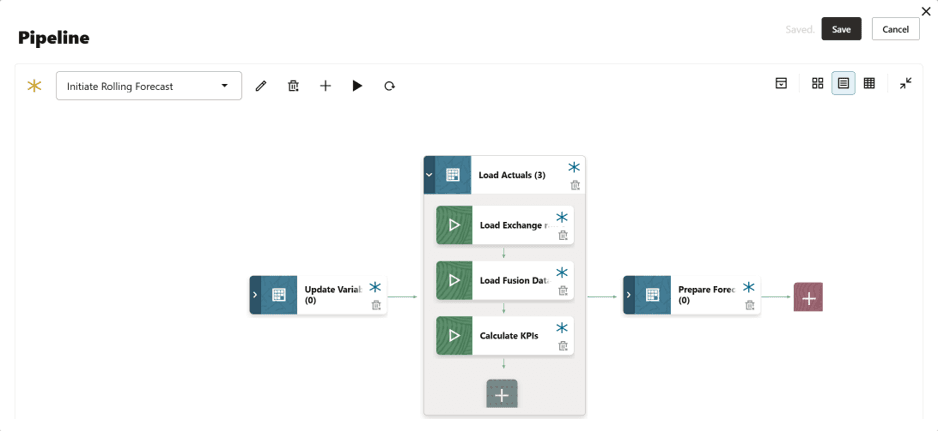
Automates Multiple Data Integration Jobs: Pipelines can automate multiple data integration jobs by organizing them into different stages, such as preprocessing, data loading, and post-processing.
Stages themselves always run in sequence, with each stage completing before the jobs in the next stage begin. Jobs can be set to run in parallel within a stage, up to the limit set in Maximum Parallel Jobs, which allows between 1 and 25 jobs. All jobs within a stage run regardless of whether other jobs in the same stage succeed or fail, and the On Success and On Failure settings on each stage determine how the following stages are processed. In practice this means any activity that must complete before the next one starts belongs in its own stage.
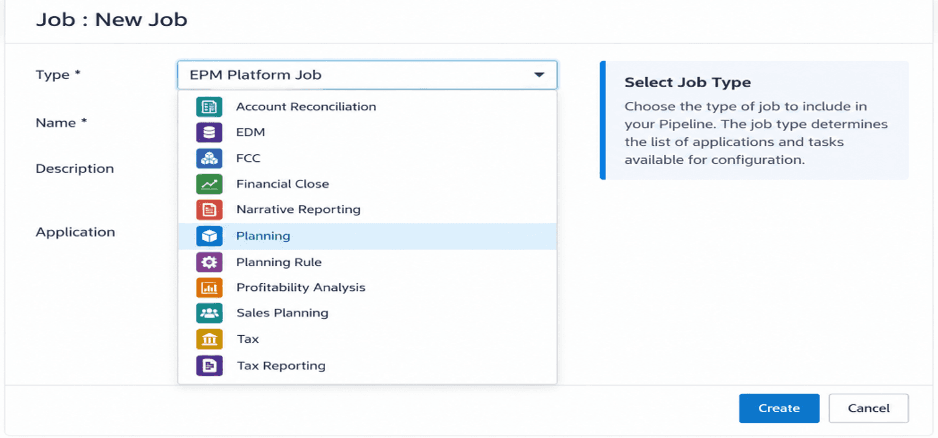
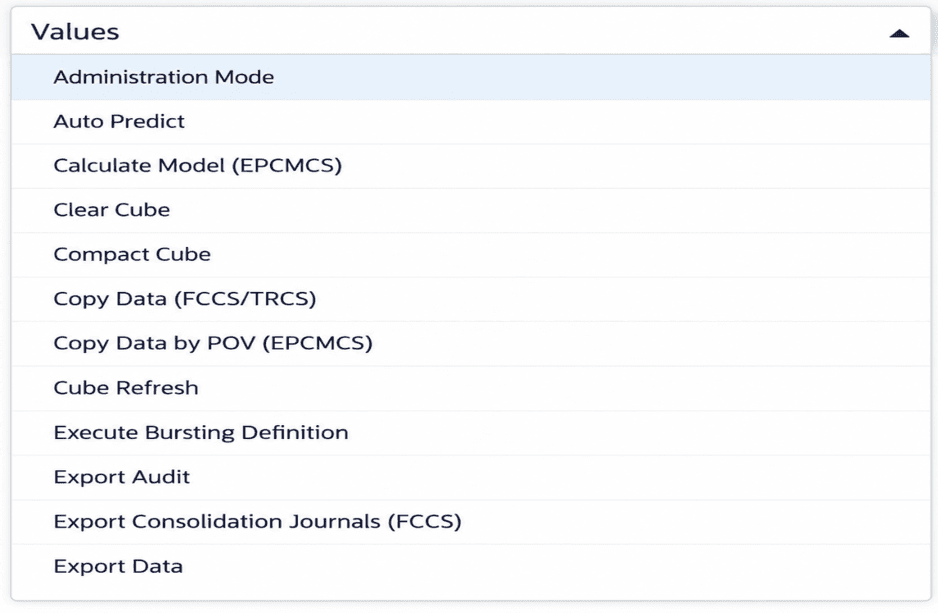
Supports Various Oracle EPM Cloud Jobs: Pipelines can organize and run jobs across different Oracle EPM Cloud applications, including Planning, Planning Modules, FreeForm, Financial Consolidation and Close, Tax Reporting, Enterprise Profitability and Cost Management, Profitability and Cost Management, Account Reconciliation, Sales Planning, and Strategic Workforce Planning. Enterprise Data Management also provides export and extract job types that can be included in a Pipeline. The EPM Platform Job type can be used to run different supported EPM Cloud jobs as part of the Pipeline, and is available in three variants covering Planning, Financial Consolidation and Close with Tax Reporting, and Enterprise Profitability and Cost Management.
Automation of Tasks: Pipelines help reduce manual effort and the need for complex scripts by automating different EPM tasks. They also provide a centralized place to manage and monitor data integration processes across EPM applications.
Supports Various Job Types: Pipelines support a wide range of job types, allowing multiple EPM tasks to be managed within a single Pipeline. These include Business Rules, Business Rulesets, Clear Cube, Plan Type Map, and Substitution Variable updates; Integrations, Integration with Smart Split, and the three Open Batch types; metadata and mapping import and export; and file operations covering Object Storage and SFTP in both directions.
Account Reconciliation was added to the Pipeline feature in August 2025 and contributes a further set of job types, including Import Balances, Import Rates, Set Period Status, Run Auto Match, Run Auto Alert, and Create Reconciliation. This allows reconciliation activities to be automated in the same way as Planning data loads.
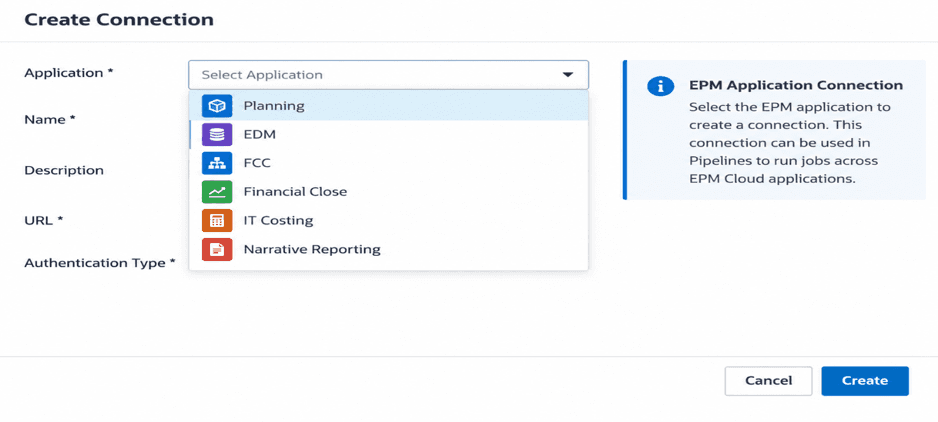
Supports Job Execution Across Multiple EPM Instances: Pipelines can run jobs in other EPM Cloud instances using configured connections, where each job is set to use either a local or a remote connection. Pipelines are defined in Data Integration, reached from the business process under Application and then Data Exchange, and can be scheduled through the standard Jobs scheduler. They can also be run outside the interface using the runPipeline EPM Automate command or the equivalent Run Pipeline REST API, with runtime parameters such as start period, end period, import mode, export mode, and email notification options.
Points to Note When Configuring a Pipeline
A few settings and default behaviors are worth knowing before a Pipeline is built.
Job timeout: If a job is still running after thirty minutes, the Pipeline moves on to the next job and the two run concurrently. This default can be changed using the Batch Timeout in Minutes setting in System Settings, and is worth reviewing where long metadata loads run ahead of data loads.
Pipeline Code: The Pipeline Code is between 3 and 30 alphanumeric characters and cannot be changed after the Pipeline is created. It is the value used by EPM Automate and the REST API.
Location name: The location selected for a Pipeline cannot use the same name as one already used by an integration.
Monitoring: Each job in a Pipeline is submitted separately and creates its own job log in Process Details, alongside the overall Pipeline status.
Key Benefits of Using Oracle EPM Pipelines
Reduces Manual Effort: Automates repetitive tasks and saves processing time.
Improves Data Consistency: Reduces manual errors and helps maintain consistent data across processes.
Supports Timely Data Processing: Helps make updated data available faster for reporting and analysis.
Centralized Management and Monitoring: Provides one place to manage and monitor data integration and processing activities.
Simplifies Automation: Once a Pipeline has been defined by an administrator, it can be run on a schedule, from the interface, or through EPM Automate, without the need for custom scripting.