
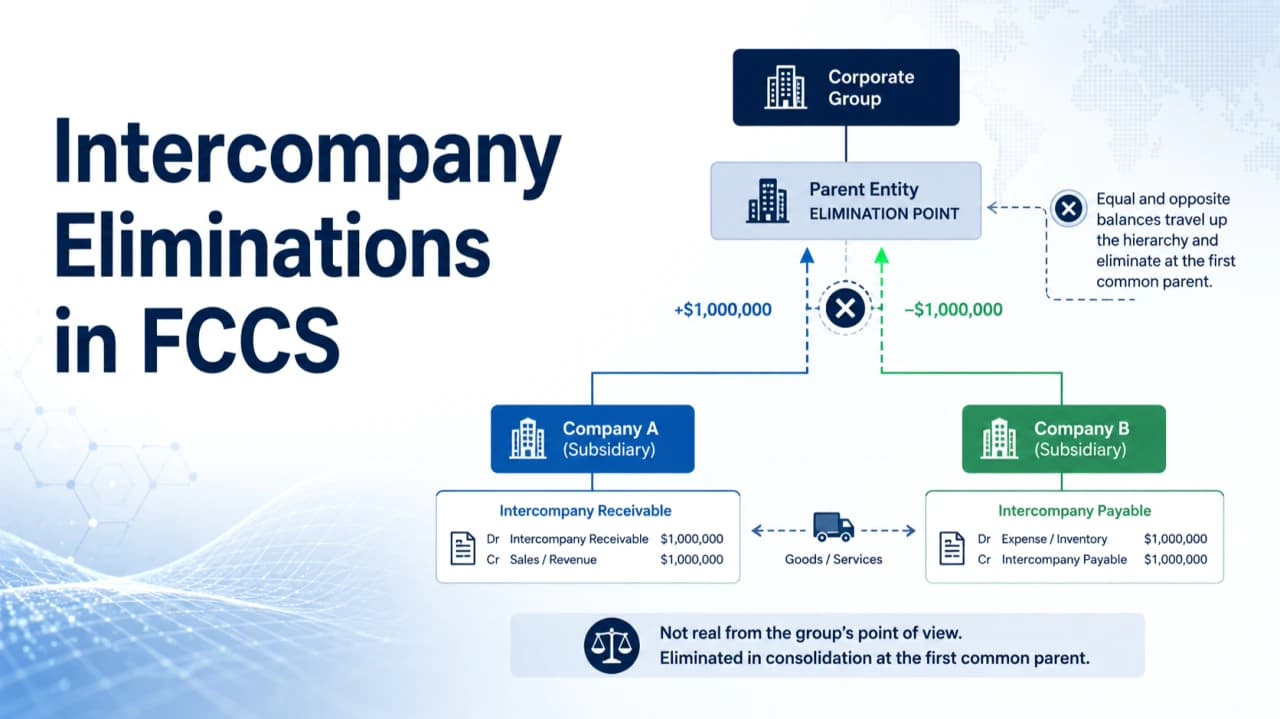
How does FCCS know which intercompany balances to eliminate, and where should the elimination happen?
Intercompany Elimination removes transactions between entities within the same consolidated group so that internal activity does not impact the consolidated financial results.
FCCS uses the Entity, ICP Partner, Intercompany Account, Plug Account, and Entity hierarchy to process the elimination during consolidation.
For example, an Intercompany Receivable recorded by one entity and the corresponding Intercompany Payable recorded by another entity are eliminated when they meet at their first common parent.
Step 1: Entity Hierarchy Determines the Elimination Level
The Entity hierarchy determines where the elimination occurs. During consolidation, FCCS identifies the first common parent of the Entity and its ICP Partner.
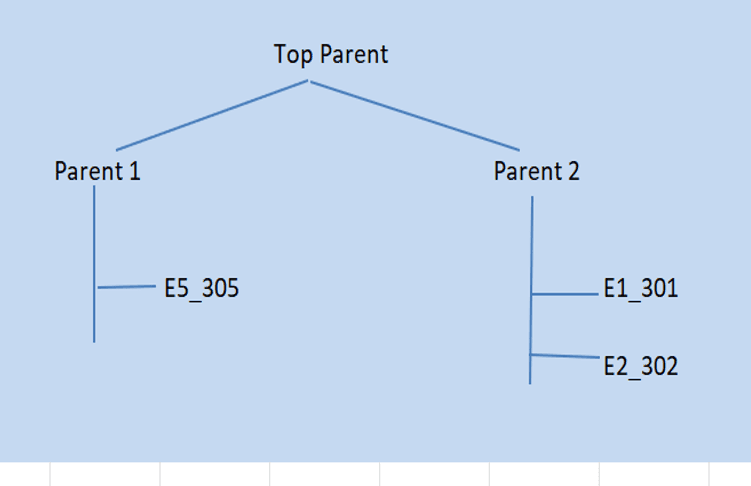
For example:
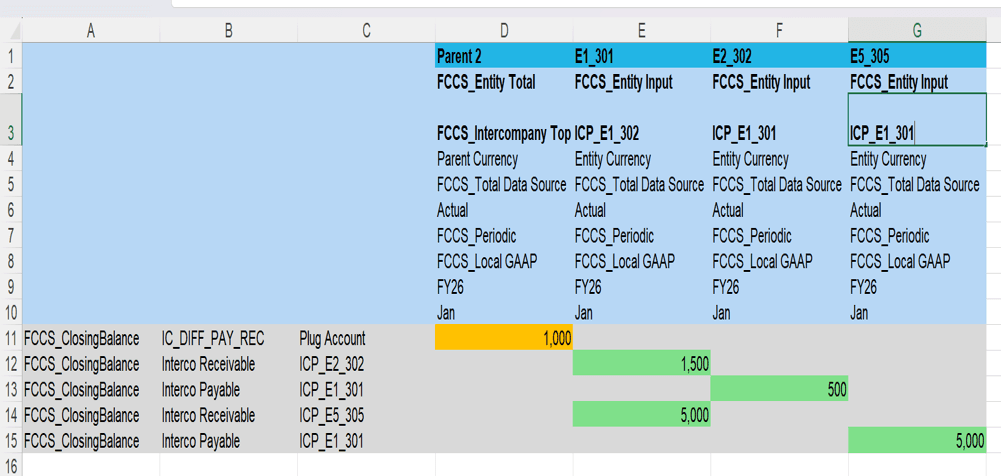
E1_301 ↔ E2_302 → Eliminated at Parent 2
E1_301 ↔ E5_305 → Eliminated at Top Parent
Why Is the First Common Parent Important?
FCCS does not eliminate the intercompany balance at the base entity. The elimination is generated when both entities meet at their first common parent in the hierarchy.
This relies on tagging the attribute value ICP_Entity_Yes for the intercompany transaction entities.
Step 2: Configure the Intercompany Dimension
The Intercompany (ICP) dimension identifies the partner entity in an intercompany transaction. When a base entity is enabled as an Intercompany Entity, FCCS automatically creates the corresponding ICP member.
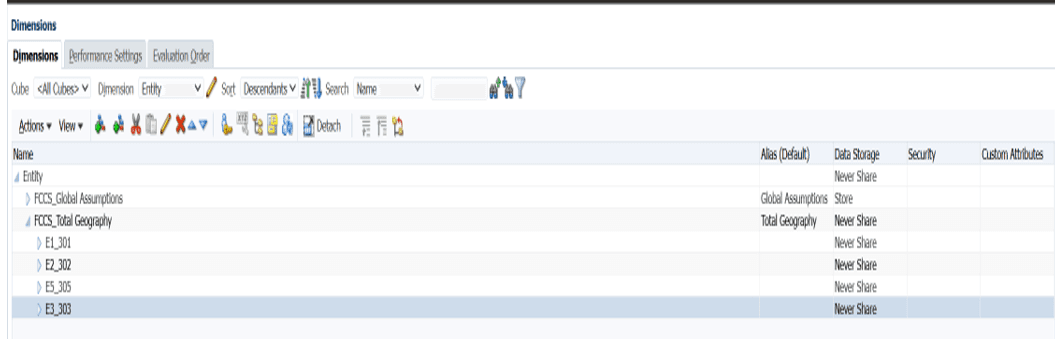
Entity → Who records the transaction
ICP → Who the transaction is with
This helps FCCS identify and eliminate intercompany balances during consolidation.
Step 3: Configure Plug and Intercompany Accounts
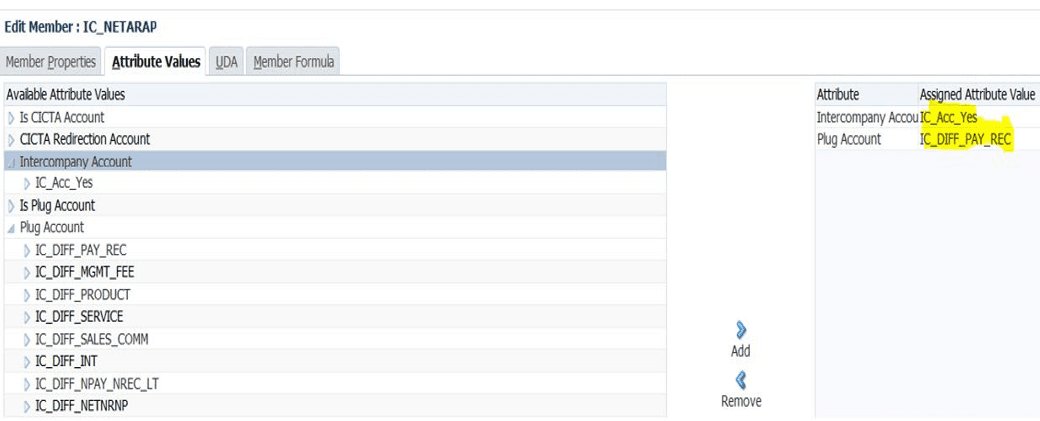
For FCCS intercompany elimination, the related accounts must be configured as Intercompany Accounts and assigned a Plug Account.
Intercompany Account: IC_Acc_Yes
Plug Account: IC_DIFF_PAY_REC
The Plug Account provides the balancing entry required during the intercompany elimination process.
Step 4: Load Data and Run Consolidation
At this stage, the Entity, Intercompany, and Account configurations are complete, and the system is ready to process intercompany data.
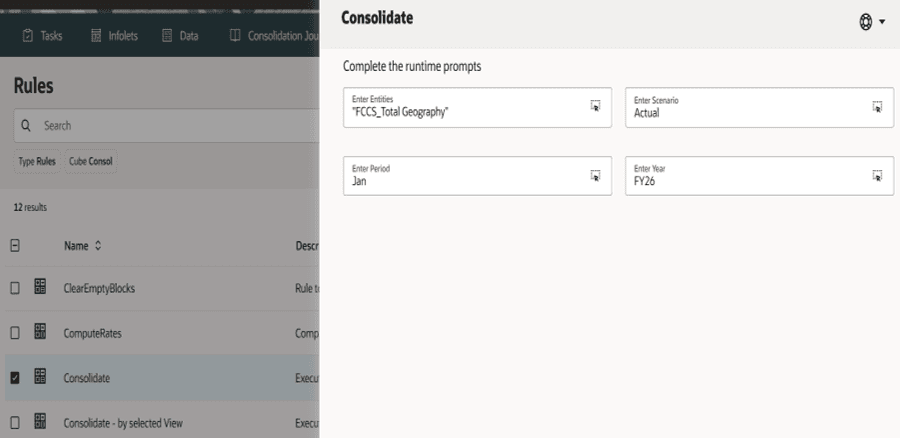
Load the intercompany balances with the appropriate Entity and ICP partners, then run Consolidation to process the intercompany eliminations.
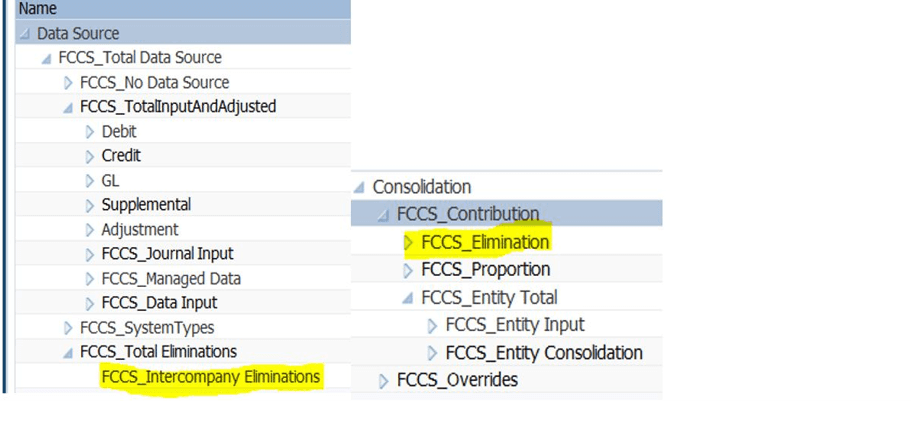
FCCS eliminates intercompany balances by posting the reversed amount to the intersection of FCCS_Intercompany Eliminations (Data Source) and FCCS_Elimination (Consolidation).
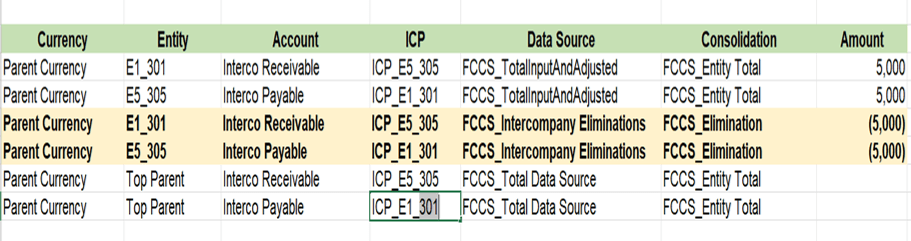
In the FCCS elimination view, source balances remain at FCCS_Entity Total, while reversed entries are generated at FCCS_Intercompany Eliminations and FCCS_Elimination.
Important note: If intercompany elimination does not occur, internal balances remain in the consolidated results and may cause incorrect or overstated financial reporting.
Step 5: Review Intercompany Elimination Results
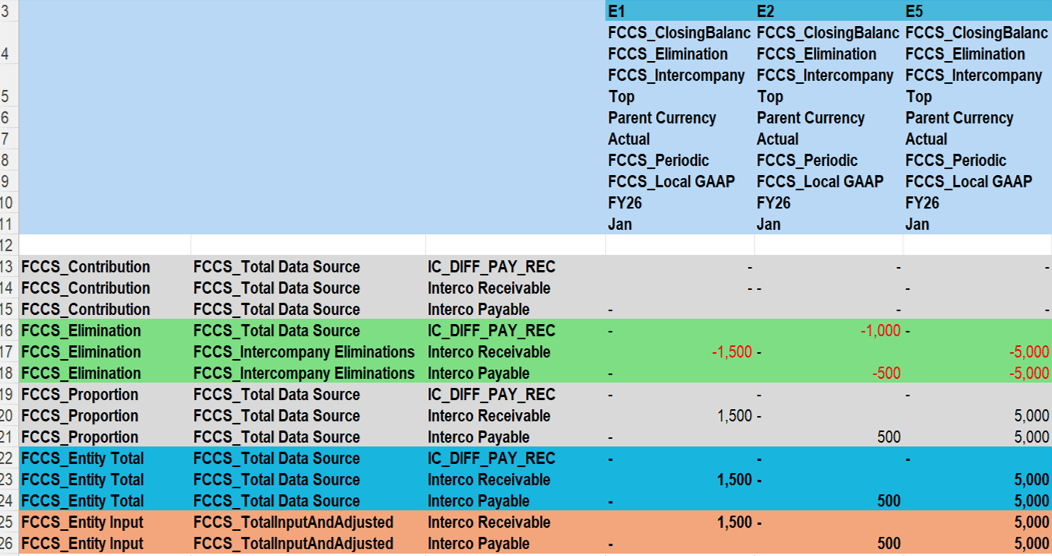
After running consolidation, review the Data Source and Consolidation dimensions to make sure the intercompany elimination has been processed correctly.
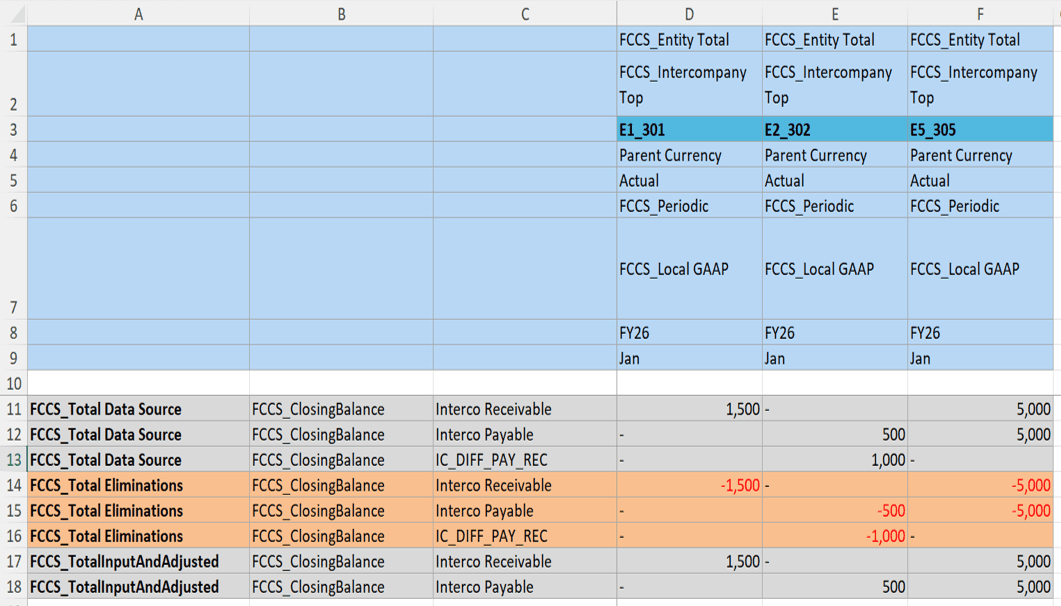
FCCS records the elimination entries under FCCS_Intercompany Eliminations in the Data Source dimension and FCCS_Elimination in the Consolidation dimension.
The first entry reverses the original intercompany balance from the Intercompany Receivable or Payable account.
The second entry posts the offsetting amount to the Plug Account assigned to the intercompany account.
This process removes the intercompany balances from the consolidated results and uses the Plug Account to capture any required balancing amount.
At FCCS_Entity Total, you can review the final consolidated balance after considering both the original data and the elimination entries.
In this example, FCCS reverses the Intercompany Receivable and Payable balances under FCCS_Elimination and posts the offsetting amount to the IC_DIFF_PAY_REC plug account, confirming that the intercompany elimination was processed successfully.