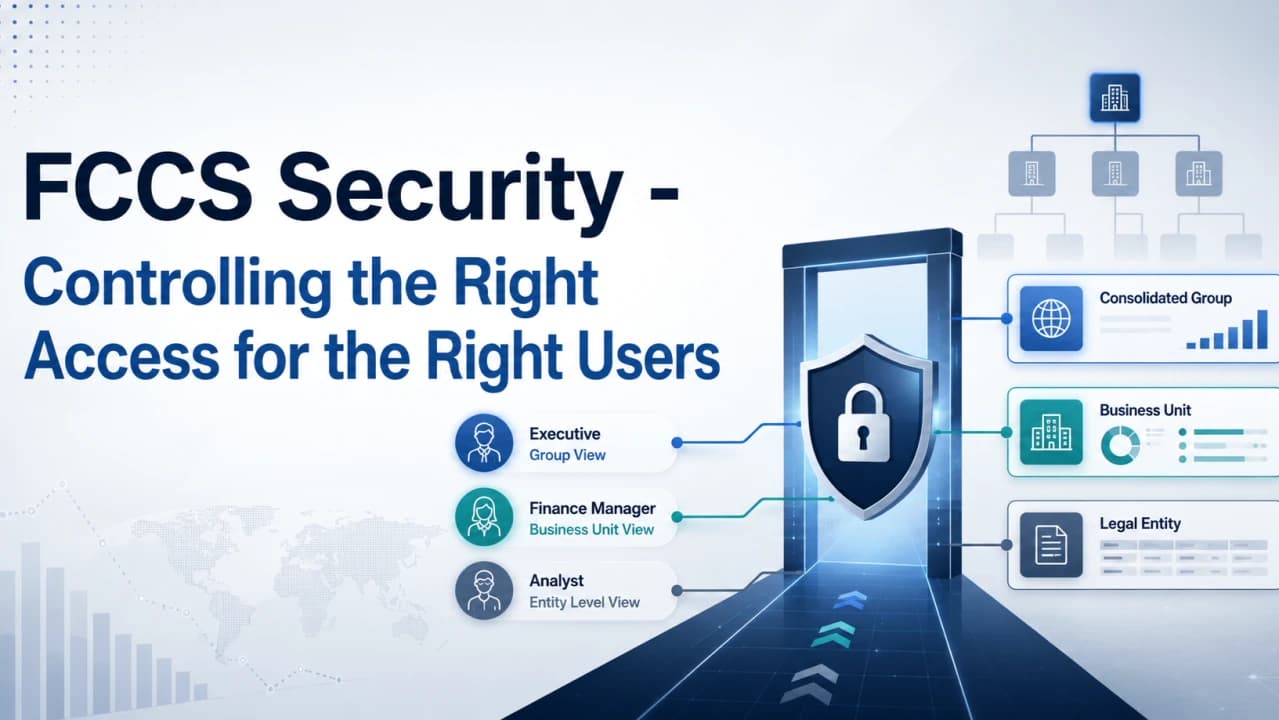
Security in Oracle FCCS is designed to make sure users have access only to the functions, data, and application areas they need for their job.
The Three Security Layers
FCCS security mainly works through three layers.
Role-Based Security: Controls what a user can do in the application based on roles like Viewer, User, Power User, or Service Administrator.
Data Security: Controls which entities or financial data a user can view or update.
Application Object Security: Controls access to items such as forms, reports, dashboards, journals, Task Manager, and Smart View.
Overall Security Flow
User → Role → Data Access → Application Objects → Authorized Access
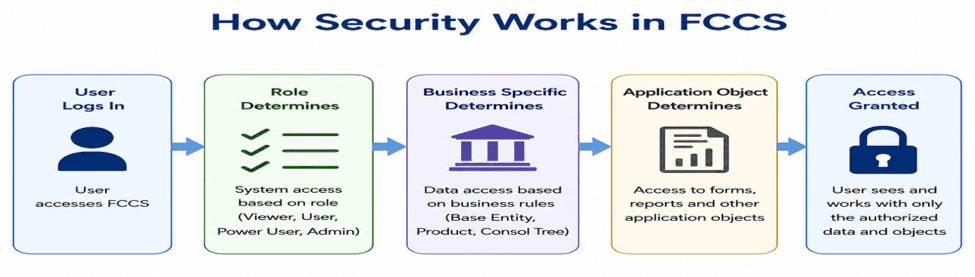
A well-designed FCCS security model gives users only the access they need while keeping sensitive financial data protected. It also separates key responsibilities, which helps reduce risk and maintain stronger internal controls.
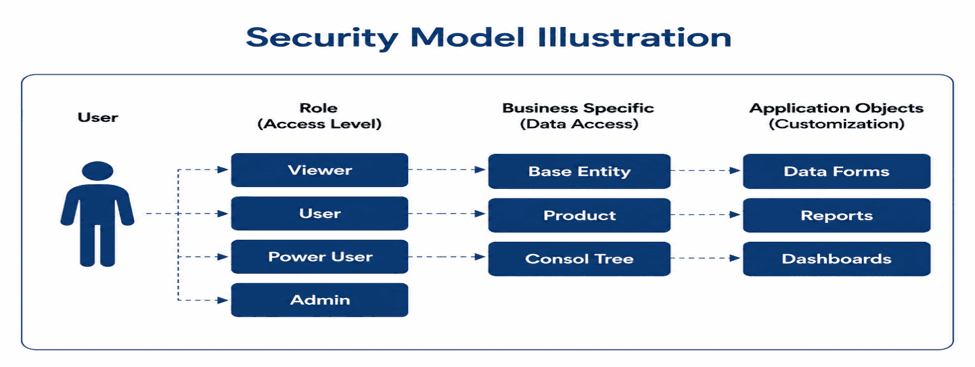
Understanding Predefined Roles in Oracle FCCS
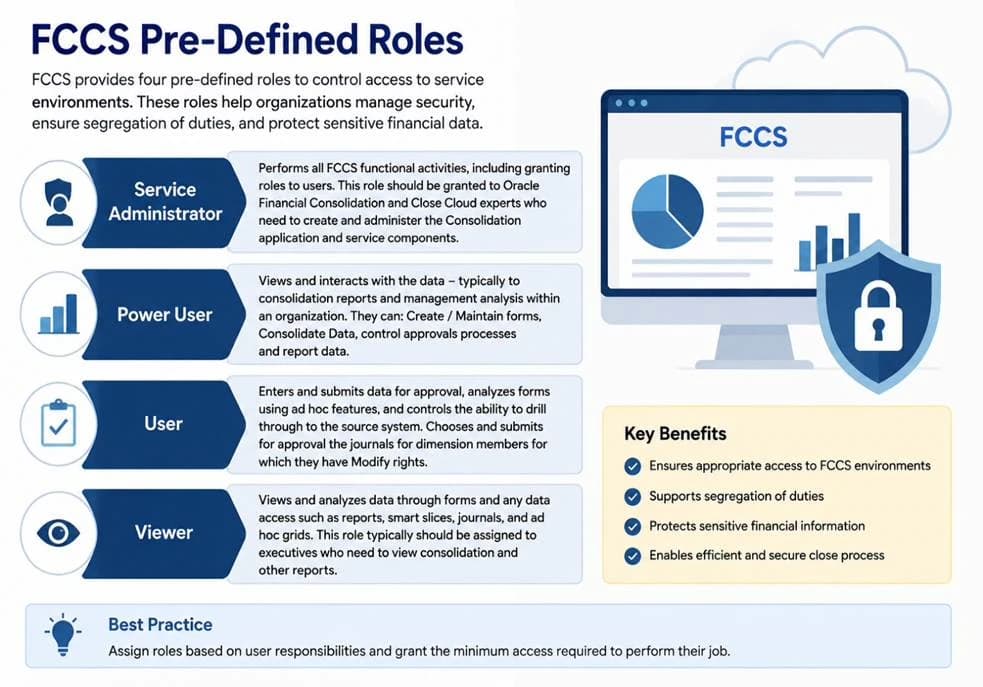
FCCS provides predefined roles to control what users can do inside the application. Assigning the right role helps protect financial data and supports proper segregation of duties.
Viewer. Can view and analyze data through forms, reports, Smart View, and Ad Hoc.
User. Can enter and submit data, work with journals, and perform day-to-day close activities.
Power User. Can perform advanced activities such as consolidation, data loads, form maintenance, and approval processes.
Service Administrator. Has full administrative access to configure and manage the FCCS application.
The key is to provide users with only the access they need for their responsibilities.
Viewer → User → Power User → Service Administrator
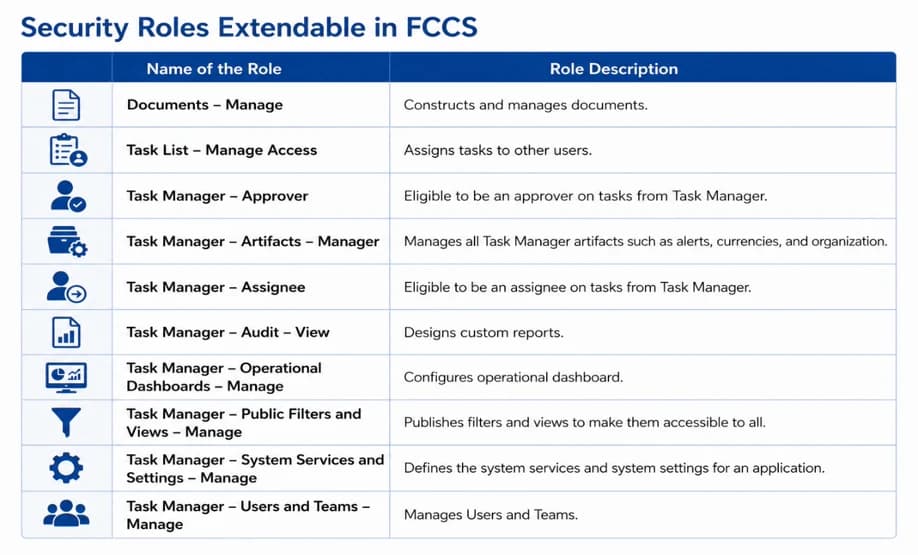
Security Roles Extendable in FCCS
In addition to the standard FCCS roles, Oracle also provides additional application roles for specific tasks. These roles allow users to get the access they need for their work without giving them full administrative access.
Consolidation Journal Roles
Consolidation Journals, Create. Create, modify, and delete consolidation journals and journal templates.
Consolidation Journals, Manage Periods. Open and close periods used for consolidation journals.
Consolidation Journals, Post. Post completed and approved consolidation journals.
Consolidation Journals, Submit. Submit journals for approval or reject journals in Completed status.
Consolidation Journals, Un-Post. Unpost previously posted journals when the user has the required access.
Data Integration Roles
Data Integration, Create. Create integrations, mappings, and data rules between source and target systems.
Data Integration, Run. Run configured integrations between source and target applications.
Data Integration, Drill Through. Drill from FCCS data back to the related source-system information.
Dashboard Role
Dashboards, Manage. Create and manage dashboards, including operational dashboards.
Why These Roles Are Important
These roles provide users with only the access needed for their responsibilities, supporting least privilege, segregation of duties, and stronger internal controls in FCCS.
Data Exchange Security Overview
Data Exchange security in FCCS controls which integrations, reports, batches, and data-load locations a user can access. It helps ensure users can perform only the integration activities that are part of their responsibilities.
There are four main security areas.
Role Security. Controls which Data Exchange functions a user can access.
Report Security. Controls which integration reports a user can run.
Batch Security. Controls which batches or data-load processes a user can execute.
Location Security. Controls which Data Exchange locations a user can access.
Application Design Decisions for FCCS Security
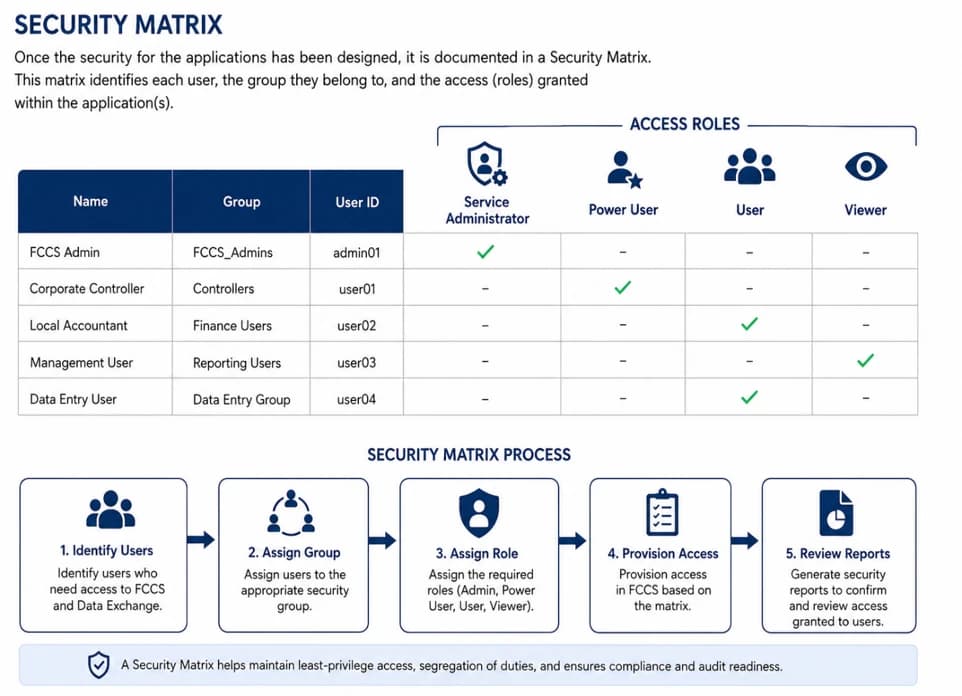
While designing security in FCCS, it is important to clearly define who needs access, what role they should have, and what data they should be able to see or update.
Key design considerations include the following.
Identify Users. Determine which users need access to FCCS and Data Exchange.
Create a Security Matrix. Document each user or group along with the required roles and data access.
Define Functional Roles. Assign responsibilities such as Journal Preparer, Approver, Data Entry User, Power User, or Administrator.
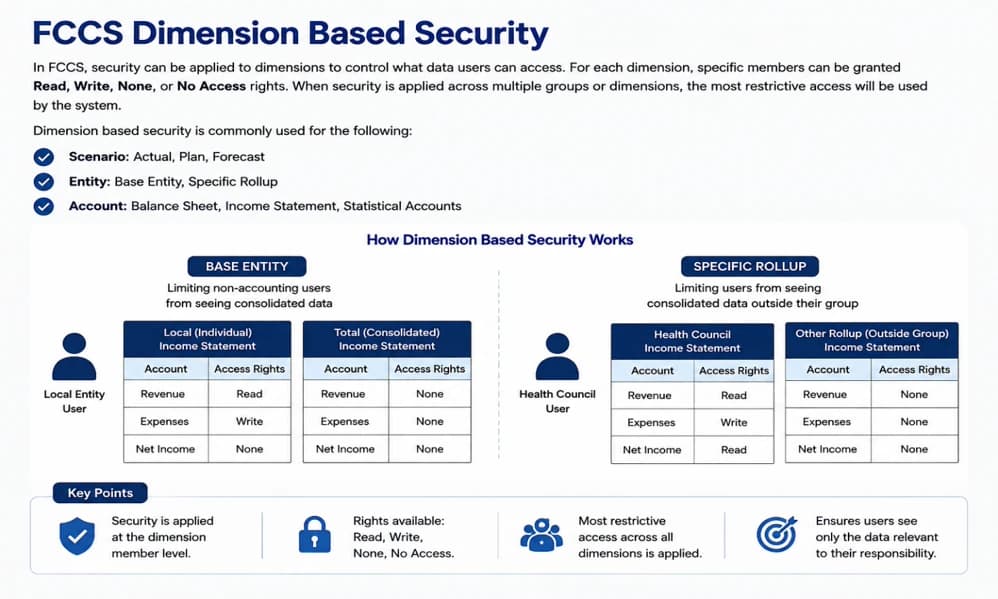
Define Dimension-Based Access. Restrict users to the required base entities, regional rollups, or consolidated nodes.
Simple Security Design Flow
Identify Users → Create Security Matrix → Assign Roles → Assign Dimension Access → Test and Validate